
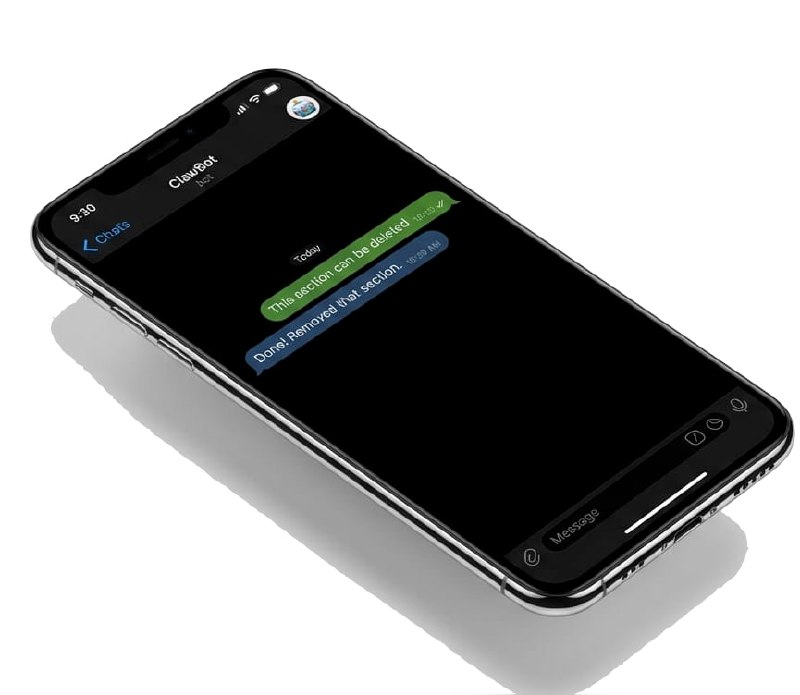
A few weeks ago, I set up something that’s quietly changed how I work: a personal AI assistant that runs 24/7 on a small cloud server, remembers everything we’ve discussed, and helps me with projects that span days or weeks.
I’ve always had a long list of things I wanted to do, but couldn’t find the time or enthusiasm to undertake many of them. Things like marketing are tedious for me, and even keeping my blog updated tends to fall by the wayside when I get busy on other projects. There was a time when the very post you’re reading would not have existed. But it only took me ten minutes to convey the important information here, because I had a helper who knows about everything I work on.
This morning, I asked it to help me write a guide so others could set up the same thing. Two hours later, we had a comprehensive document — refined through dozens of back-and-forth edits, reorganized for clarity, and tested against the question “would someone with no technical background be able to follow this?”
That’s the kind of collaboration I’m talking about.
What Makes This Different
You’ve probably used ChatGPT or Claude through their websites. They’re impressive, but they have a fundamental limitation: every conversation starts fresh. They don’t remember that you’re working on a novel, that you prefer concise responses, or that your anniversary is in March.
My assistant remembers all of that. It knows my projects, my preferences, and my schedule. When I forward an email and say “handle this,” it knows what “handle this” means in the context of my work.
It can also do things in the background — check my inbox periodically, monitor websites, run scheduled tasks. This morning’s document-writing session happened while I was also receiving my daily news digest, which my assistant had compiled and sent to me automatically.
How I Actually Use It
Here’s a typical day:
- Morning: I get a digest of AI news and writing industry updates, curated from RSS feeds and prioritized by relevance to my work
- Throughout the day: I message my assistant through Telegram (just like texting a friend) with questions, requests, or random thoughts I want to remember
- Projects: I’m currently working on several things — course updates, book marketing, website improvements. My assistant remembers where we left off on each one
- Automation: Weekly backups run automatically. Social media posts publish on schedule. I get alerts if any of my websites go down
The key insight is this: it’s not about having a smarter AI. It’s about having an AI that knows you and can work with you over time.
This Morning’s Project
I wanted to help others set up their own OpenClaw assistant, but I knew the technical steps would be intimidating for non-technical people. So I asked my assistant to help me write a guide.
What followed was a genuine collaboration. I’d point out where explanations were too technical (“nobody knows what ‘nano’ is”). My assistant would rewrite them. I’d suggest reorganizing sections to reduce confusion. Done. I’d remember something we forgot to mention. Added.
Two hours and probably fifty edits later, we had a document I’m genuinely proud of — one that explains everything from creating an AWS account to teaching your assistant your preferences, all in language that assumes zero technical background.
Download: So You Want To Set Up Your Own OpenClaw Server
Is This For You?
Honestly? It depends.
If you’re comfortable paying $20-50/month for AI services and want something that grows with you over time, this is remarkable. If you want a digital collaborator that remembers your projects and preferences, it’s worth the setup time.
If you just need occasional help with one-off questions, ChatGPT is probably fine.
But if you’ve ever wished you had a tireless assistant who knows your work as well as you do — someone you could text at any hour and pick up right where you left off — this might be exactly what you’re looking for.
The guide covers everything. And if you get stuck, well… your new assistant can help you troubleshoot.
The setup guide was written collaboratively with my OpenClaw assistant over the course of a Sunday morning, February 2026.